
Home › Gemini tutorial for beginners
Gemini tutorial for beginners
Last checked
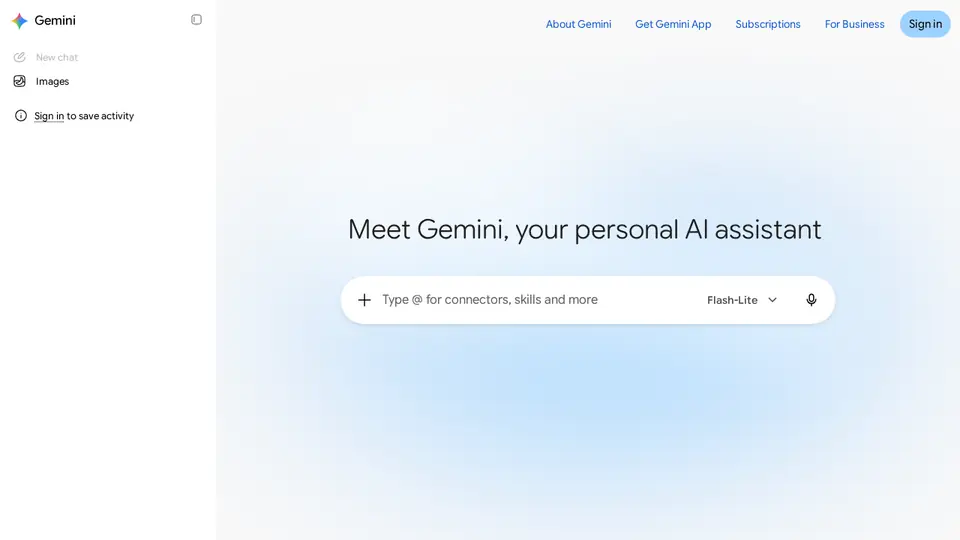
Gemini is Google's assistant. The free plan already includes Deep Research, Canvas, Gems (custom helpers), Gemini Live voice and image generation; video generation starts on Google AI Plus.
Gemini features and prices · Cost calculator · All tutorials
Get started
- Go to gemini.google.com or install the Gemini app (Google Play or the App Store).
- Sign in with a personal Google Account (13+, or your country's minimum age). Some features work signed out.
- Type or speak a question in the prompt box.
- Ask follow-ups in the same chat to adjust the answer.
- Open Settings & help → Activity to decide whether to keep activity (see Privacy below).
Free plan, paid plans and prices (US$)
- Free: Free. Flash-Lite model, image generation, Deep Research, Gemini Live, Canvas, Gems, 15 GB storage (source, checked Nov 5, 2026)
- Google AI Plus: $4.99/mo (400 GB storage). Flash model, 2x Free limits, video generation, 200 Flow credits, 400 GB storage (source, checked Nov 5, 2026)
- Google AI Pro: $19.99/mo. Gemini 4 Argon and Pro model, 4x Free limits, Tasks, Jules, Antigravity, Gemini in Gmail/Docs, Chrome auto browse, 1,000 Flow credits, 5 TB storage (source, checked Nov 5, 2026)
- Google AI Ultra: $99.99/mo (5x Pro limits) or $199.99/mo (20x). $99.99/mo = 5x AI Pro limits; $199.99/mo = 20x; Gemini 4 Argon; 10k–25k Flow credits; Project Genie; 20 TB+ storage (source, checked Nov 5, 2026)
Prices from the vendor's official pages on the dates shown; before tax and subject to change. Add up seats and plans with the cost calculator.
Your first 5 tasks, with example prompts
- Run Deep Research
Use Deep Research to compare three e-bike models under $1,500 for a 10 km commute: range, weight, warranty. End with a table and the sources.
Deep Research is on Free; Google says it can also use Gmail, Drive and Chat if you allow it. - Draft in Canvas
Open Canvas and draft a one-page welcome letter for new volunteers at a food bank. Then make the tone warmer.
Canvas is on Free. - Make a Gem
Create a Gem that turns my rough meeting notes into: decisions, action items with owners, open questions.
Gems are on Free. - Hear an Audio Overview
Turn this study guide into an Audio Overview I can listen to on my walk: [upload file]
Audio Overviews are listed among Gemini's features. - Practise by voice with Gemini Live
Let's practise a job interview for a retail supervisor role. Ask one question at a time and give me feedback.
Gemini Live is on Free.
Settings worth changing
- Gemini Apps Activity: turn “Keep Activity” on or off.
- Auto-delete period: 18 months by default; you can pick 3 or 36 months, or never.
- Use a temporary chat for single conversations you don't want kept.
Common beginner mistakes
- Pasting confidential details while Keep Activity is on: some chats are read by human reviewers.
- Deleting activity and assuming reviewed chats are gone: those are kept up to 3 years.
- Turning Keep Activity off and wondering why some Connected Apps (e.g. Workspace) stopped working.
- Expecting video generation on Free: it starts with Google AI Plus ($4.99/mo).
Privacy notes
- While Keep Activity is on, Google uses your chats to improve its services, including training AI models.
- With it off, future chats aren't used for training unless you send feedback, but are kept with your account for 72 hours.
- Temporary chats aren't used to train Google's AI models.
More detail: Is my data safe?
When to pick another tool
- Want answers with citations on every reply? See Gemini vs Perplexity.
- Deciding between the two most popular assistants? See ChatGPT vs Gemini.
- Using Microsoft 365 at work? See Gemini vs Microsoft Copilot.
Tasks where Gemini is listed: Deep research report · Draft in a shared canvas · Custom assistant for a task · Audio overview of material · Language practice by voice.
Sources (official pages)
- Gemini Apps Help: get started
- Gemini Apps Privacy Hub
- Gemini Apps Activity
- Gemini subscriptions
- Google AI plans
Written from the vendor's official documentation and pricing pages; we don't run hands-on tests. Features vary by plan, country and device.
New: How to make slides, docs and sheets with Gemini.
New: Gemini 4 Hydrogen, the fast Gemini 4 model, is rolling out in the Gemini app for everyone.