
Home › Perplexity tutorial for beginners
Perplexity tutorial for beginners
Last checked
Perplexity is an answer engine: each answer comes with the sources it used, so you can check them. Deep Research can turn a question into a longer report, and paid plans add more research and model choice.
Perplexity features and prices · Cost calculator · All tutorials
Get started
- Open perplexity.ai or the Perplexity app.
- Ask a clear, specific question in plain language.
- Read the answer, then open the numbered sources to check them.
- Ask follow-ups in the same thread to narrow it down.
- Review Account settings → Preferences → “AI data retention” (see Privacy below).
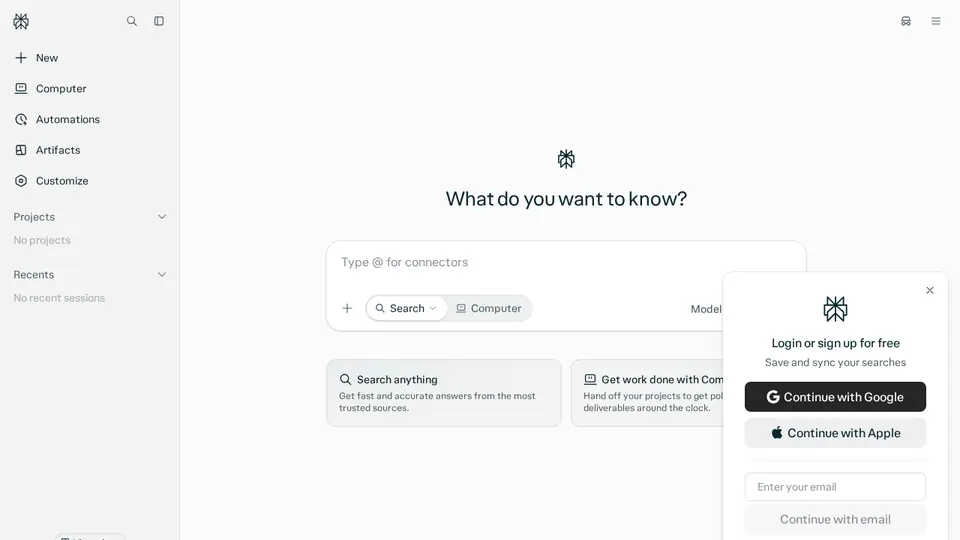
Perplexity's “Getting started” help article could not be read on Oct 27, 2026 (the page blocked our request), so the getting-started steps above are general usage tips, not quotes from that article. The privacy and pricing facts are from the pages listed below.
Free plan, paid plans and prices (US$)
- Free: Free. Search with answers and citations; limited usage (source, checked Oct 24, 2026)
- Pro: $17/mo billed annually. Expanded Computer access, 4,000 bonus credits, deep research, choice of AI models. Monthly-billing price not shown on the official page. (source, checked Oct 24, 2026)
- Max: $167/mo billed annually. Maximum Computer usage, 35,000 bonus credits, 10,000 monthly credits, highest limits (source, checked Oct 24, 2026)
Prices from the vendor's official pages on the dates shown; before tax and subject to change. Add up seats and plans with the cost calculator.
Your first 5 tasks, with example prompts
- Get a cited quick answer
What are the current carry-on bag size limits for Air Canada and WestJet? Cite the airline pages.
Free includes search with answers and citations (limited usage). - Compare products with sources
Compare the warranties of three popular robot vacuums. Only use manufacturer pages as sources and show a table.
- Run Deep Research
Deep Research: what does recent research say about standing desks and back pain? Summarise the strongest studies and their limits.
Deep research is expanded on Pro. - Follow a topic over a thread
Start with: “What changed in Canada's rules for e-scooters this year?” then ask follow-ups about your province.
- Check a claim
Someone told me honey never spoils. Is that accurate? Show the sources and say how confident the answer is.
Settings worth changing
- Account settings → Preferences → “AI data retention”: on by default for Free, Pro and Max.
Common beginner mistakes
- Not opening the sources: the citation is only useful if it actually says what the answer claims.
- Expecting a monthly Pro price on the pricing page: it shows $17/mo billed annually; the monthly-billing price isn't shown there.
- Asking vague questions: specific questions get more relevant sources.
Privacy notes
- Turning “AI data retention” off applies only to data collected afterwards; data already collected for training can't be removed.
- Data may still be processed to run the service, for legal compliance and for product improvement.
- Enterprise data is never used for training.
More detail: Is my data safe?
When to pick another tool
- Need long writing or document work? See Claude vs Perplexity.
- Want a general assistant too? See ChatGPT vs Perplexity or Grok vs Perplexity.
Tasks where Perplexity is listed: Cited quick answers · Compare products or vendors · Deep research report · Up-to-date travel info · Shopping research.
Sources (official pages)
Written from the vendor's official documentation and pricing pages; we don't run hands-on tests. Features vary by plan, country and device.